See whether your message reached the whole party
A two-way radio does not tell you whether your message got through. Jahtiradio shows it: two green ticks next to the time mean the message is on everyone’s phone. Your phone can stay in your pocket while you talk with a speaker mic or Bluetooth talk button. Install the app and join the hunt with a code, no account.


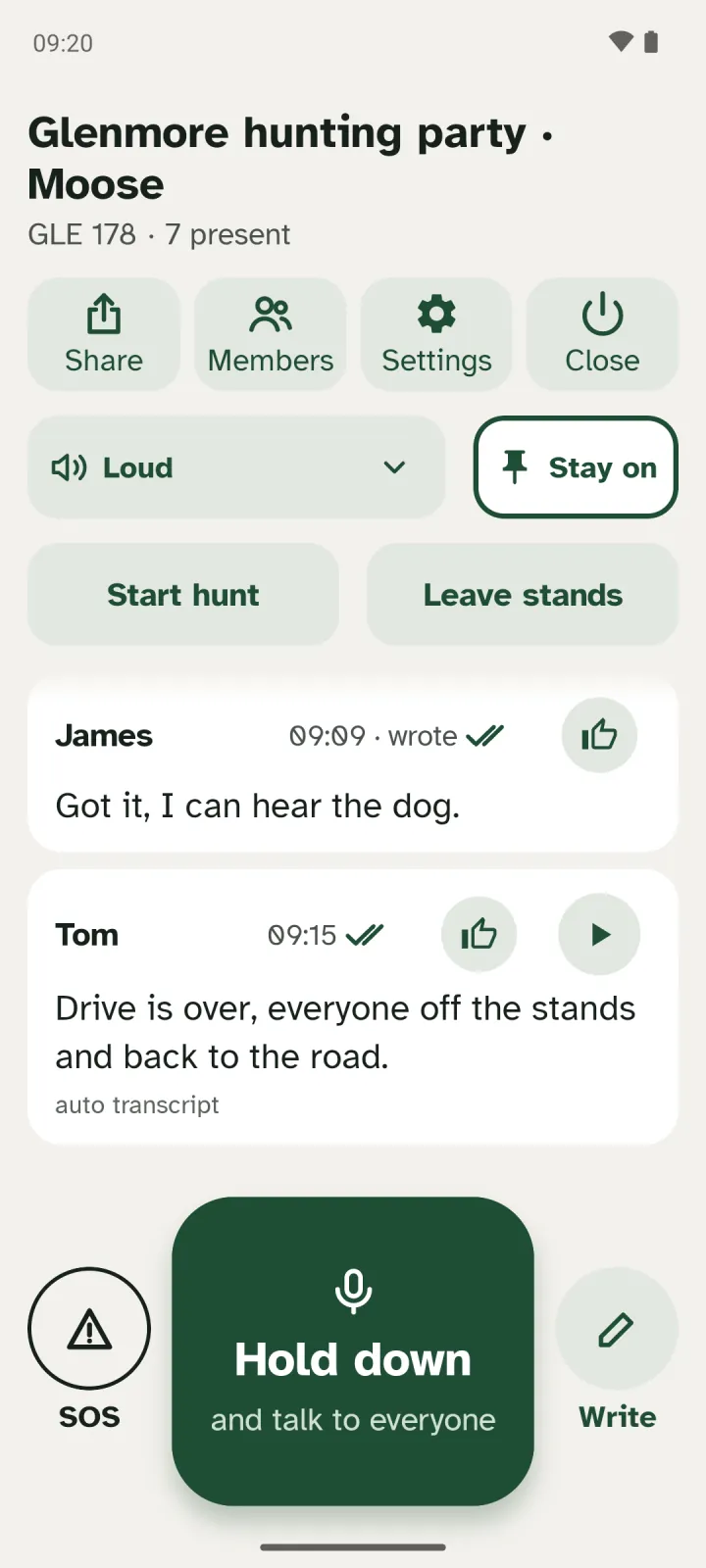
A grey tick shows the message has not reached everyone yet
The hunt leader says the stands can pack up. The ticks next to the time show whether the message is already on everyone’s phone.
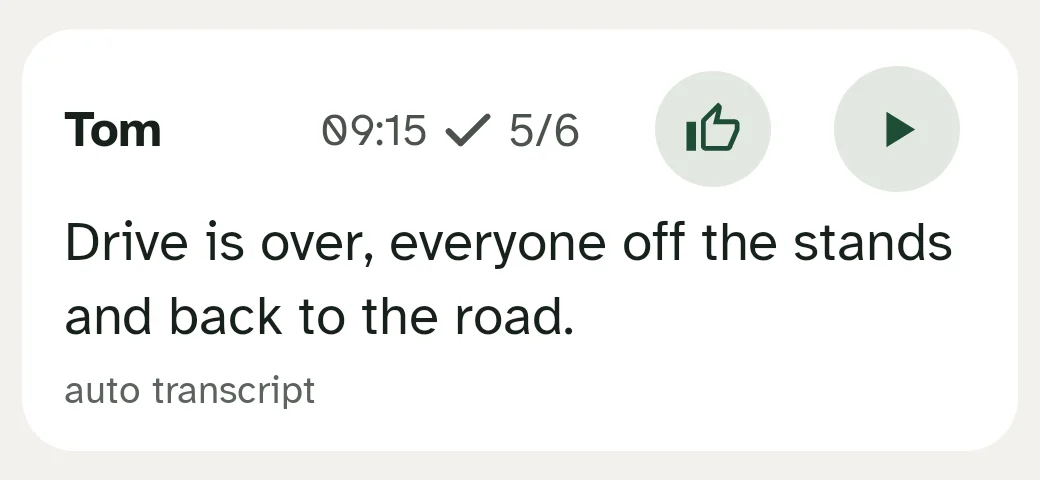
A grey tick and 5/6: one person has not received it yet. 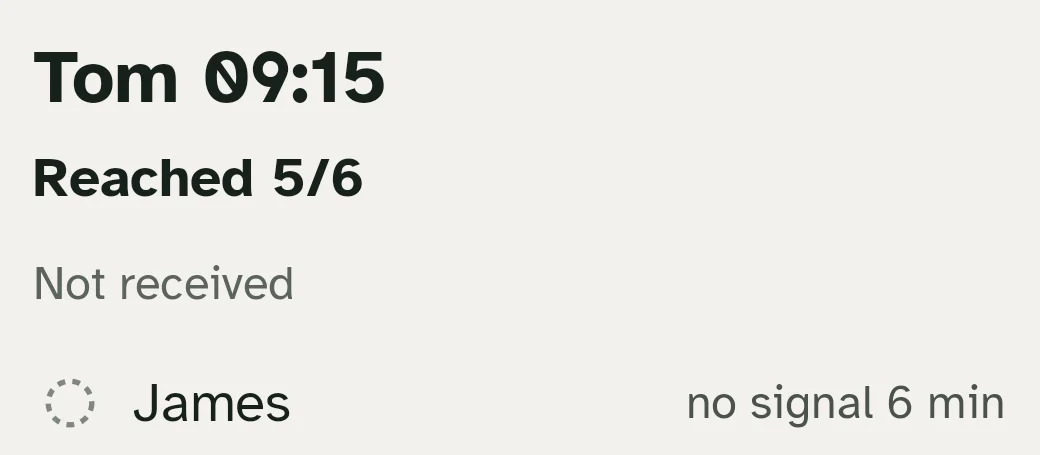
Tap to see who, for example “no signal 6 min”. 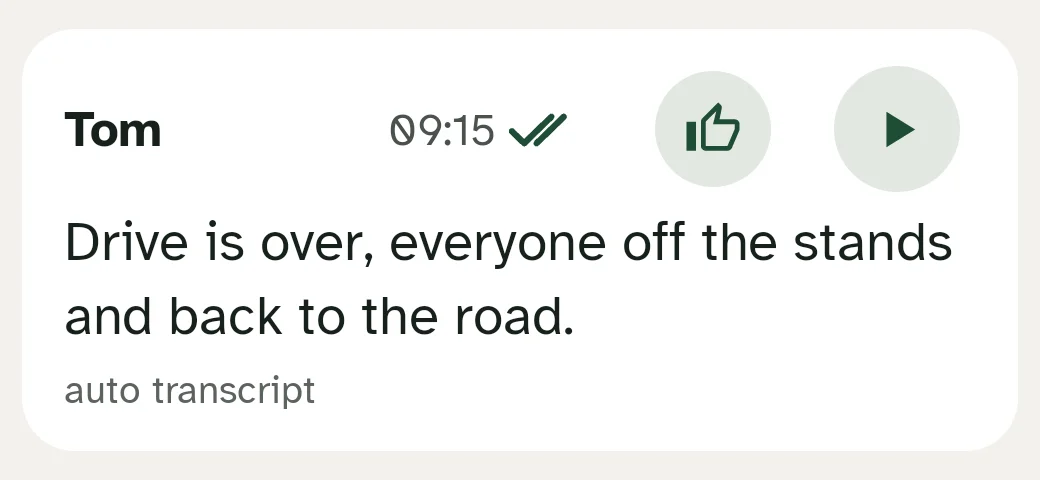
When they are back in coverage, the message reaches them. Now it has two green ticks.
A tick is a small mark next to the message time. Every message has them: talk, text, photo and emergency message.
What Jahtiradio does for your party
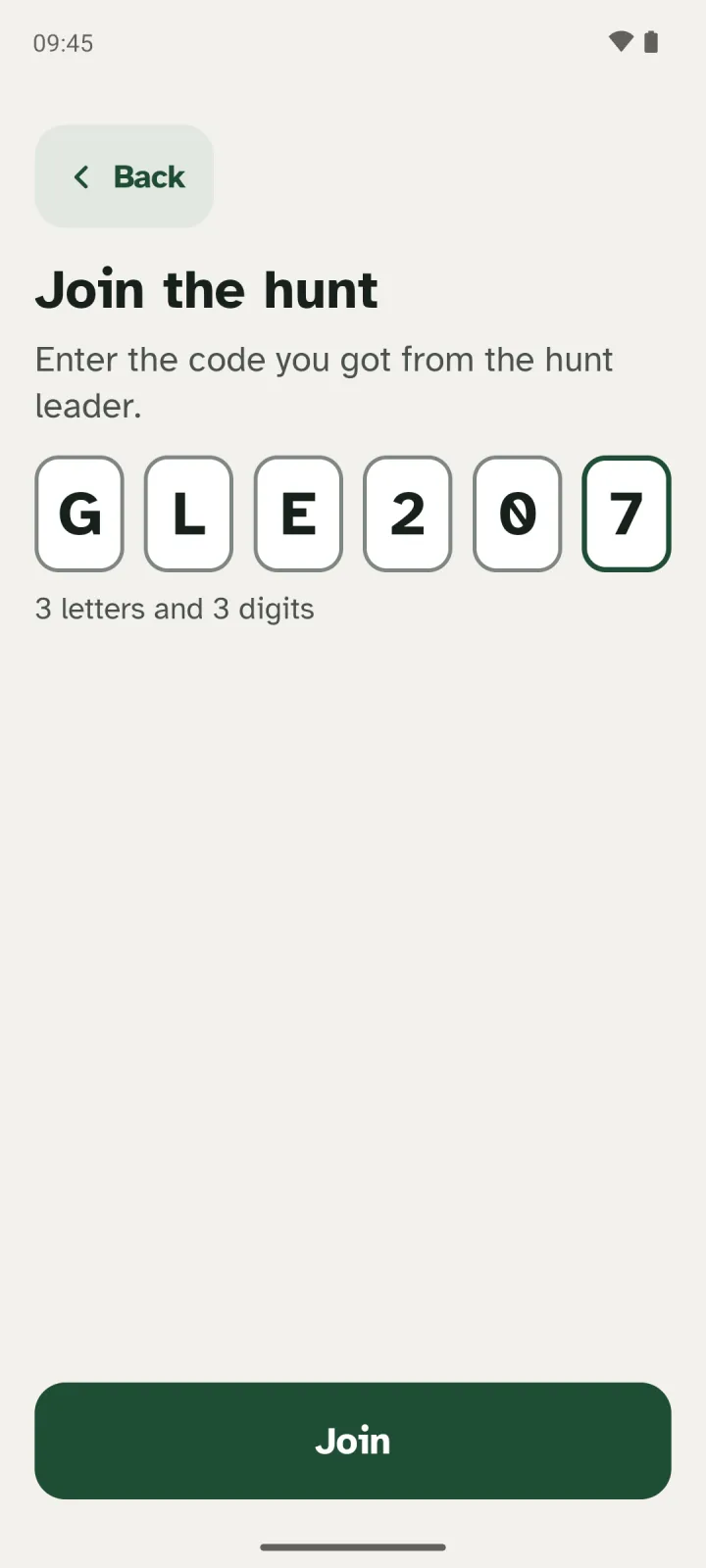
Join the hunt with a code, no account
The hunt leader shares the hunt code in the morning. The code your party uses in its hunting app works too. Everyone enters the code and their name, and there is nothing to set up. No account, password or email is asked for. Anyone joining from far away gets in only once a member of the hunt approves them.
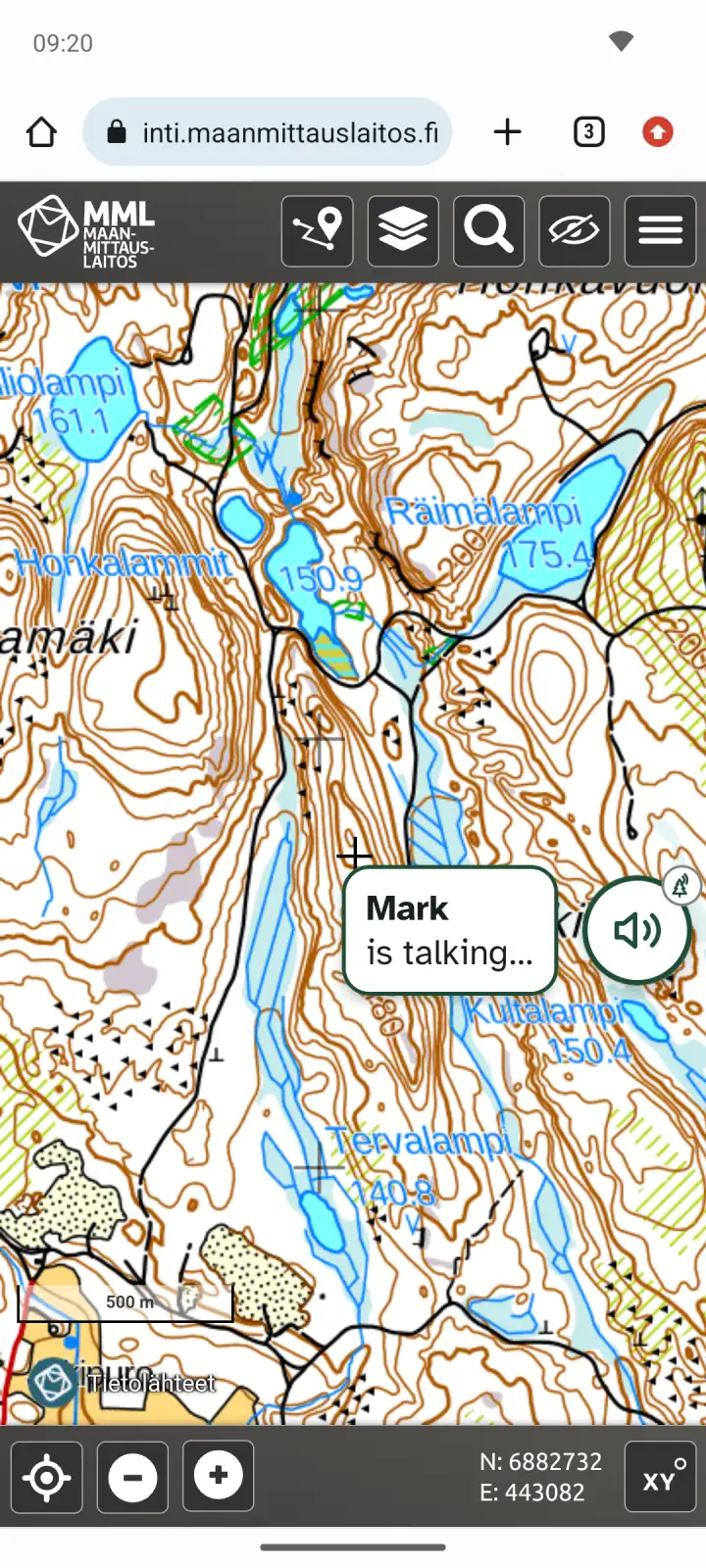
Keep your own map
Jahtiradio works alongside any hunting or map app, so the party does not have to change anything. On Android the talk button floats on top of the map: you watch the map and the dogs and talk at the same time. On iPhone you talk from the Lock Screen, with the Action button (iPhone 15 Pro and later) or from Control Centre.
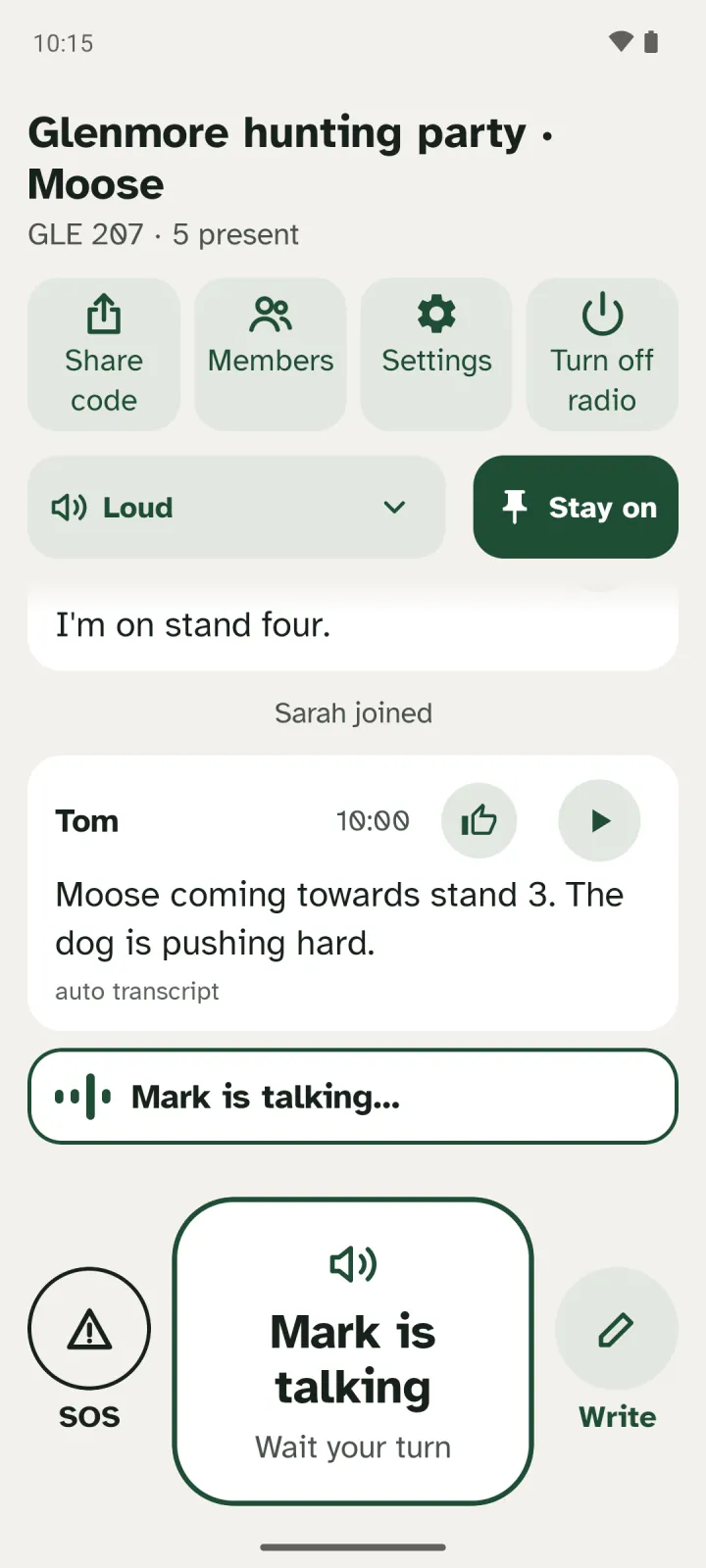
The whole party hears at once
One press reaches the whole party, while a phone call reaches one person at a time. The speaker’s name shows on the screen, and what they say becomes an automatic transcript. A message you missed stays on the screen, and you can play it again.
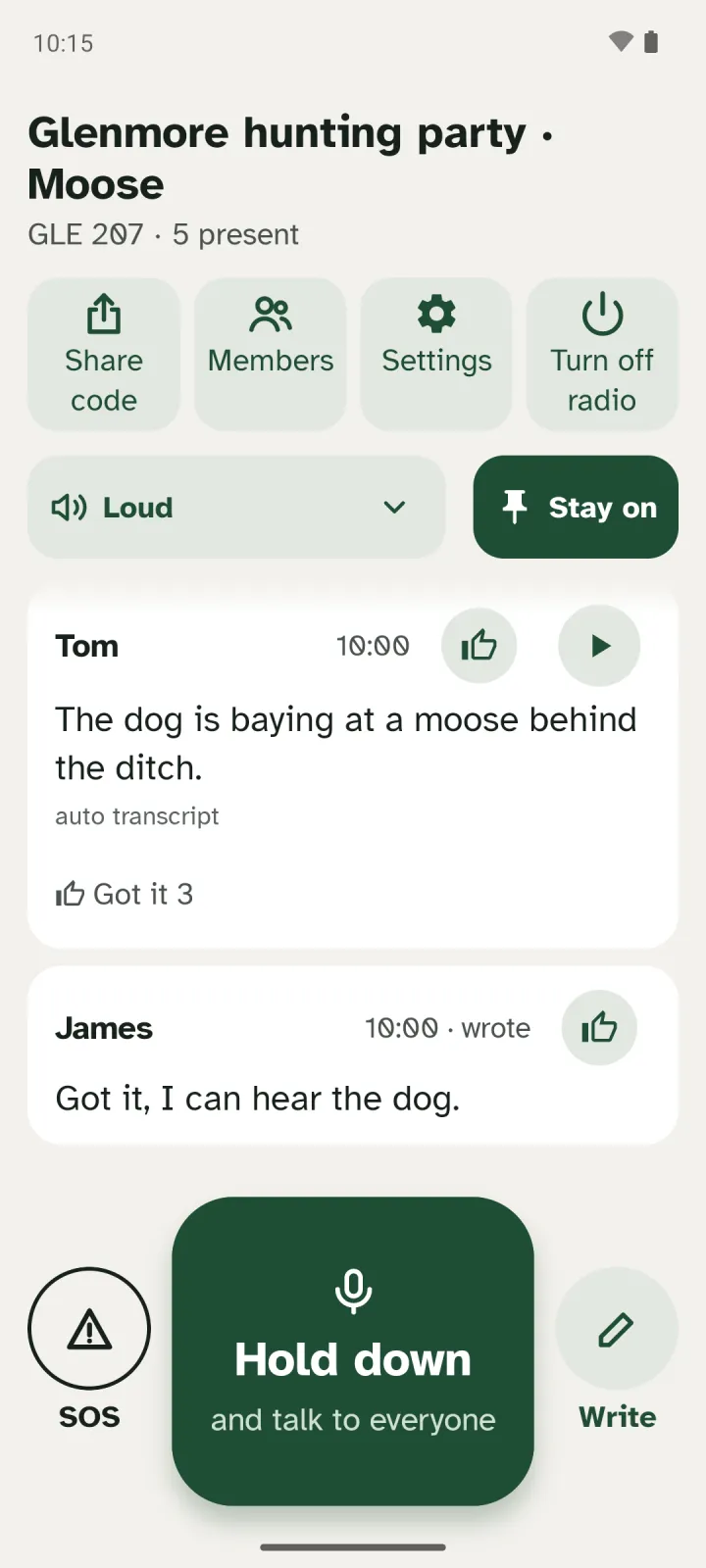
Large and clear
The screen has a large talk button, clear text and tones. Every state shows as colour and text and sounds as a tone. You can also start talking with the button on a headset or speaker mic: see the devices.
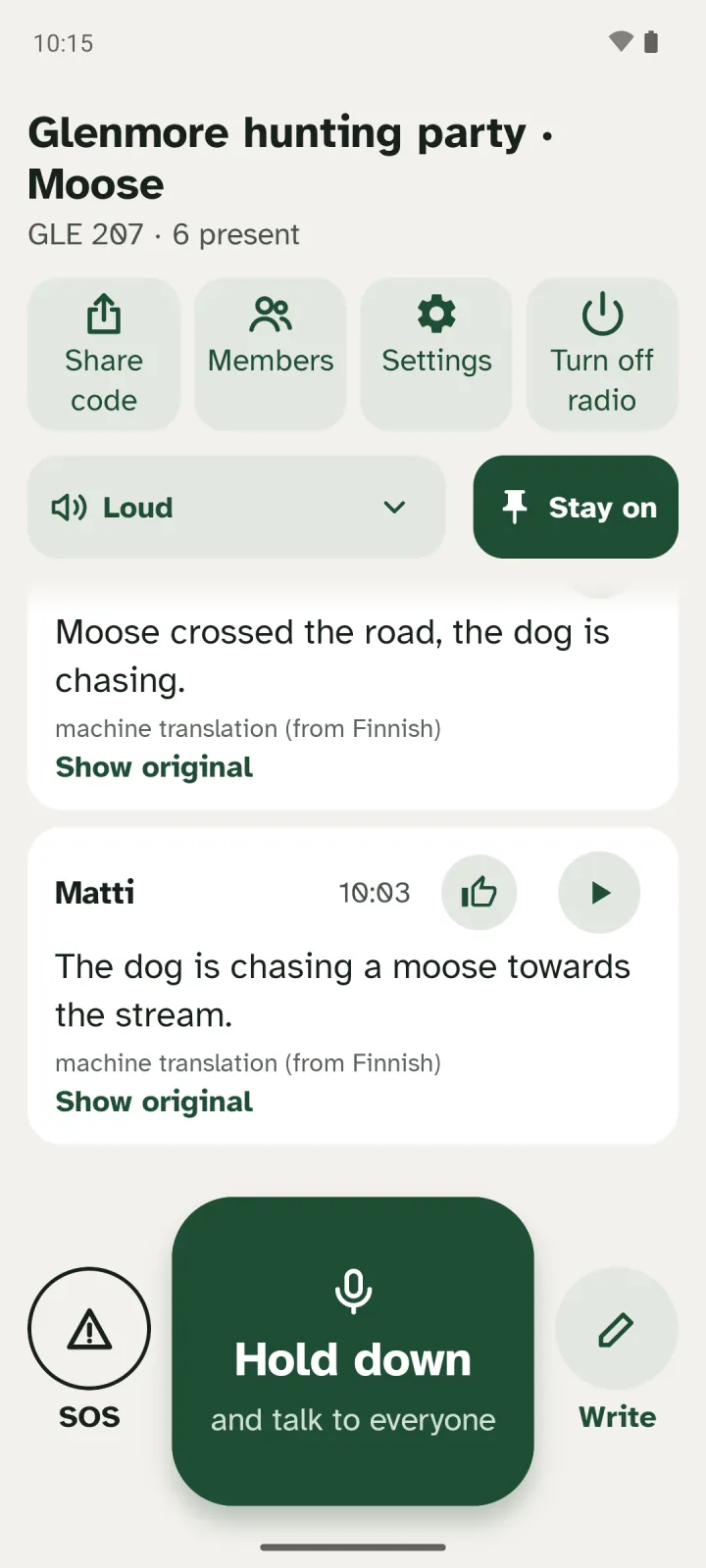
Guests read in their own language
As a guest, you choose your own language in the app, for example English or Swedish. The party’s talk and messages then show as text in your language, and what you say shows in Finnish to the others once they switch translation on. The audio always plays as spoken. Jahtiradio translates between English, Finnish, Swedish, German, Estonian, Norwegian and Danish. Machine translation can be wrong, so go through the safety rules with the party before the hunt.
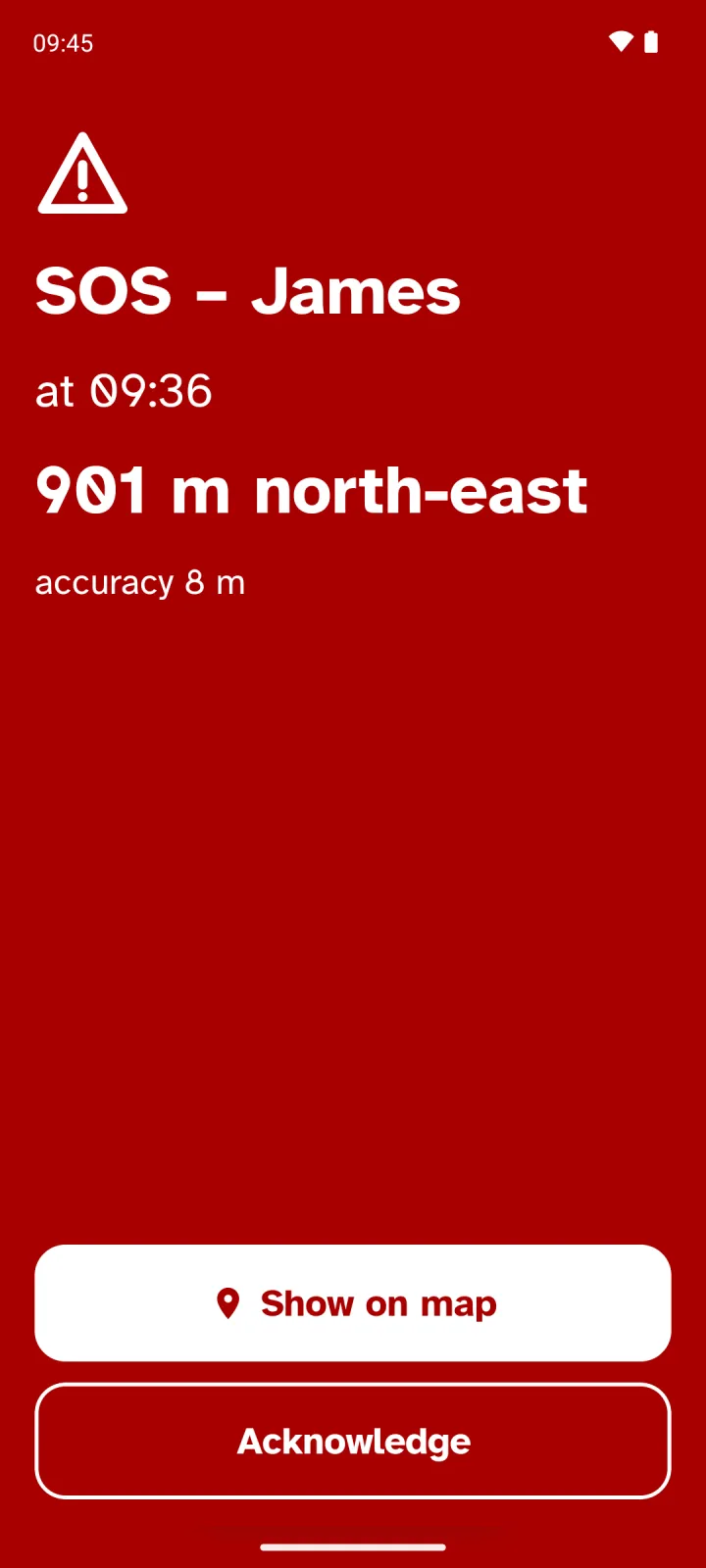
SOS alert to the whole party
An SOS alert sounds for the whole party, including anyone on silent, and shows where you are if you have allowed it. Jahtiradio does not replace the emergency number: in an emergency, always call 112.
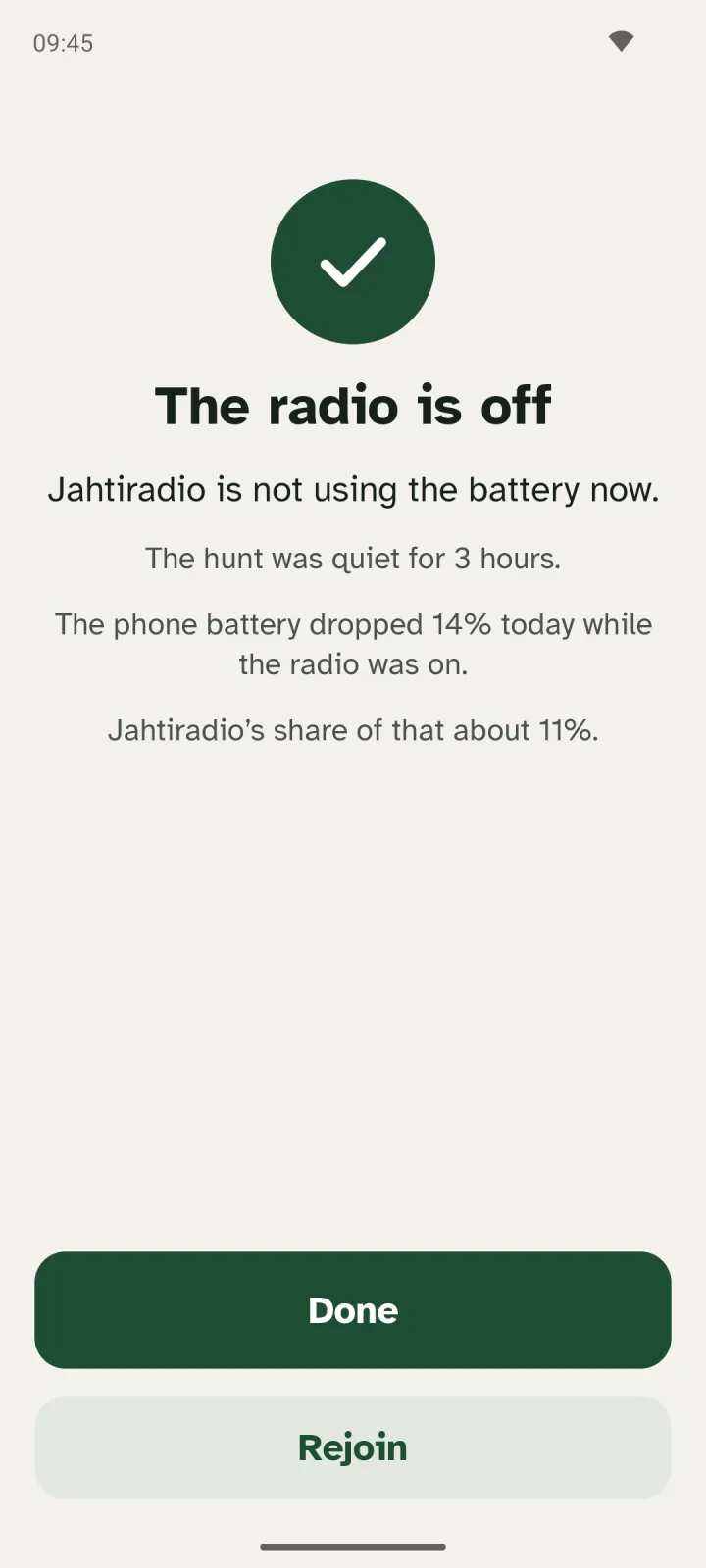
The battery lasts the hunting day
In our measurements the radio used about 4–5% of the battery per hour while on, with the screen locked. When the hunt has been silent for three hours, the radio turns off and your phone tells you so. One tap takes you back into the hunt, and the messages you missed come in then. Once off, the radio uses no battery.
Three steps to the hunt
The hunt leader starts the hunt
The hunt leader sets up the hunting party once, for example “Pine Lake North”. In the morning they start the day’s hunt, for example “Moose”, and share the hunt code. The code your party uses in its hunting app works too.
The party joins with the code
Everyone installs Jahtiradio and enters their name and the hunt code. No account, phone number or email is asked for.
Hold down and talk
The whole party hears you at once, and next to the time you see whether the message reached everyone. When you are done, press Turn off radio. If you forget, the radio turns itself off after three silent hours, or when the hunt ends at the latest.
Jahtiradio on video
The video is in Finnish with English subtitles.
What Jahtiradio looks like
Scroll sideways through the pictures.
See if it reached everyone. Talk on top of the map. Join with a code. No account. The whole party hears at once. Speech shown as text too. SOS alert shows your location. 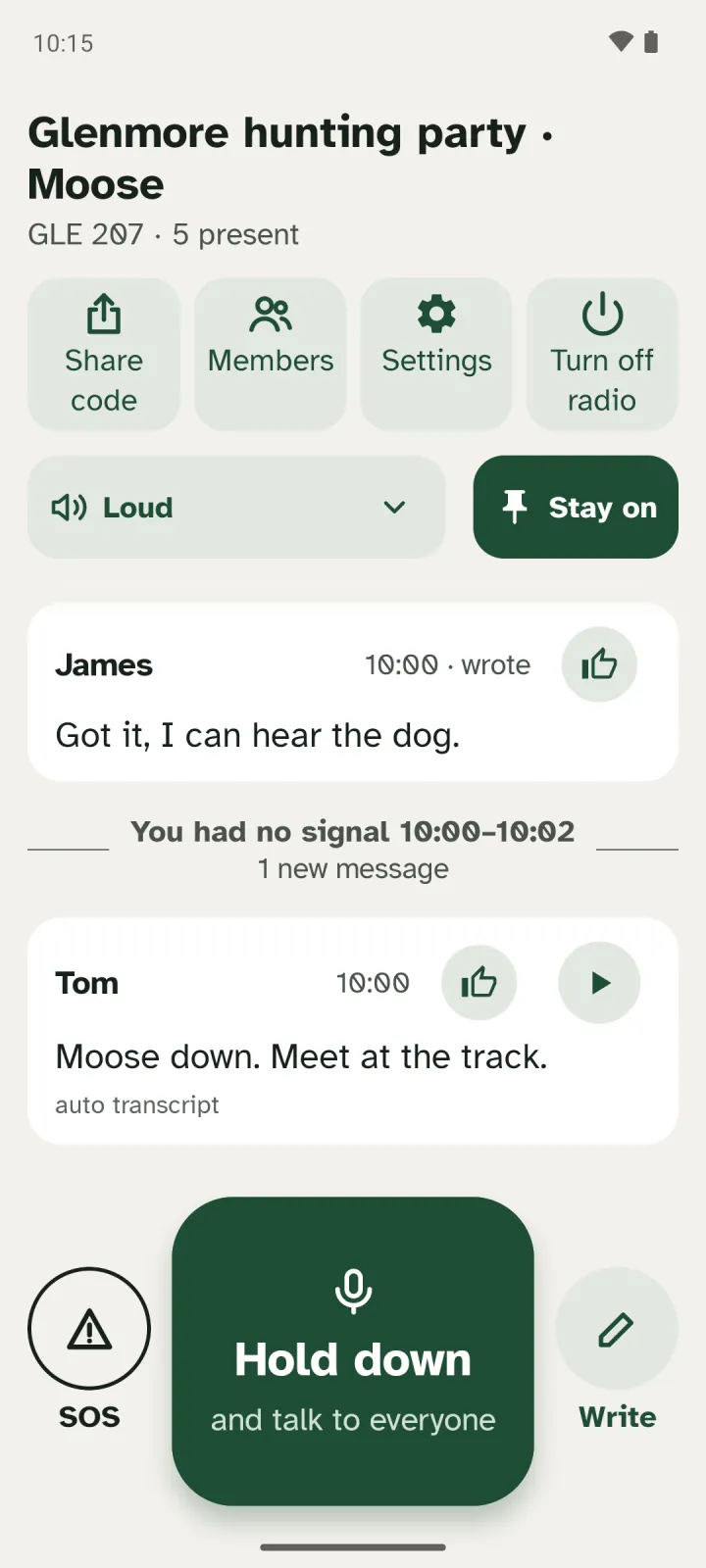
Back in range, fully caught up. Battery lasts the hunting day. Guests read in their own language. 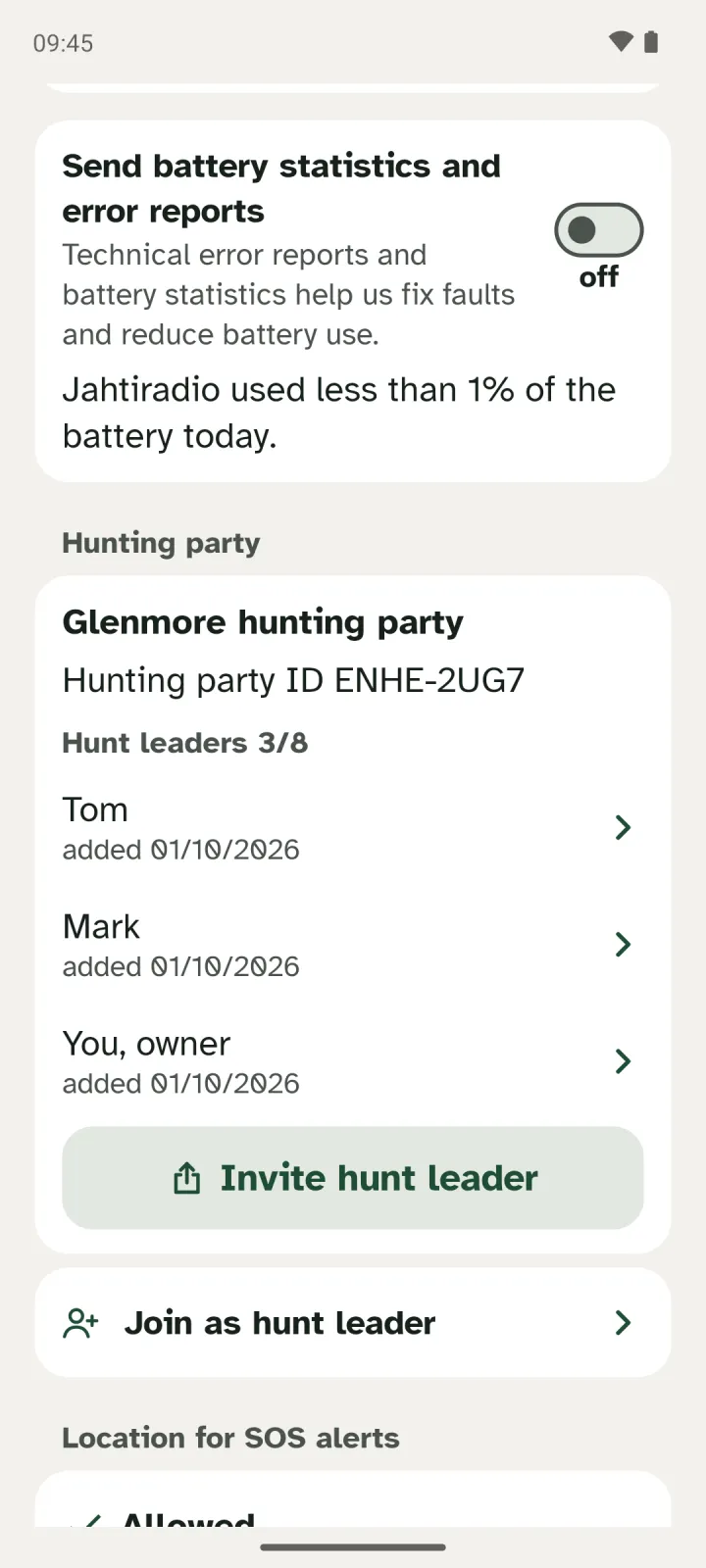
Invite your hunt leaders.
Map: Maanmittauslaitos, CC BY 4.0
What you need in the forest
Out of signal
When the signal drops, your talk is saved on the phone and sent when the connection returns. When someone sends a message, the ticks show them you are out of signal, and the message reaches you afterwards. You play what you missed with one tap.
Silent on your stand
Messages show and the phone vibrates, but an SOS alert still sounds. You can acknowledge a message with one tap on 👍 Got it.
Deletion
The hunt’s talk, transcripts and messages are stored in the EU and deleted from the service when the hunt ends: usually at 04:00 Finnish time, in a night hunt at 12:00 at the latest. The person who started the hunt can save a hunt log on their own phone. Read more in the privacy policy.
Private talk
Tap a member’s name to talk to that person only. The others do not hear it, and it is not transcribed.
Managing the party
A hunting party can have up to eight hunt leaders, each with two devices of their own, for example a phone and a tablet.
Updates
When a new version of Jahtiradio is out, the app tells you on the start screen. An update never cuts off a hunt in progress.
Jahtiradio is used alongside your two-way radio and needs a mobile network. Keep your radio with you where signal is patchy.

Who made Jahtiradio
I’m Ari Hietamäki, a hunter from southern Finland. Jahtiradio grew out of frustration with two-way radios: in my own party, about half do not hear everything said over the radio. Everyone carries a phone, so with it everyone can keep up with what is going on, whether they belong to the party or are a guest.
Ari Hietamäki – hunter, Latentti Oy
How to use Jahtiradio
A video of just under two minutes shows a hunting day from start to finish: joining with a code, talking, losing signal and the SOS alert.
The video is in Finnish with English subtitles.
Get Jahtiradio on your phone
The hunt leader starts the hunt, and the party joins with the code.